 CMMS Perfect
Machine maintenance log with QR codes — for small workshops
Know which machine is down before you have to ask.
Stick a QR code on every machine. The mechanic scans it and reports the fault in one line — you're notified immediately, and you can see the machine's history going back years.
How it works
Up and running in one afternoon.
No training, no rollout project. Three steps, and your workshop is already using it.
Add your machines
Name, asset number, location. That's all it takes to add a machine to the log.
Print the QR codes
The app generates a label for each one. Print it, stick it on the machine.
Let the shop floor take it from there
Scan, write a line, attach a photo. Twenty seconds, and you get a notification.
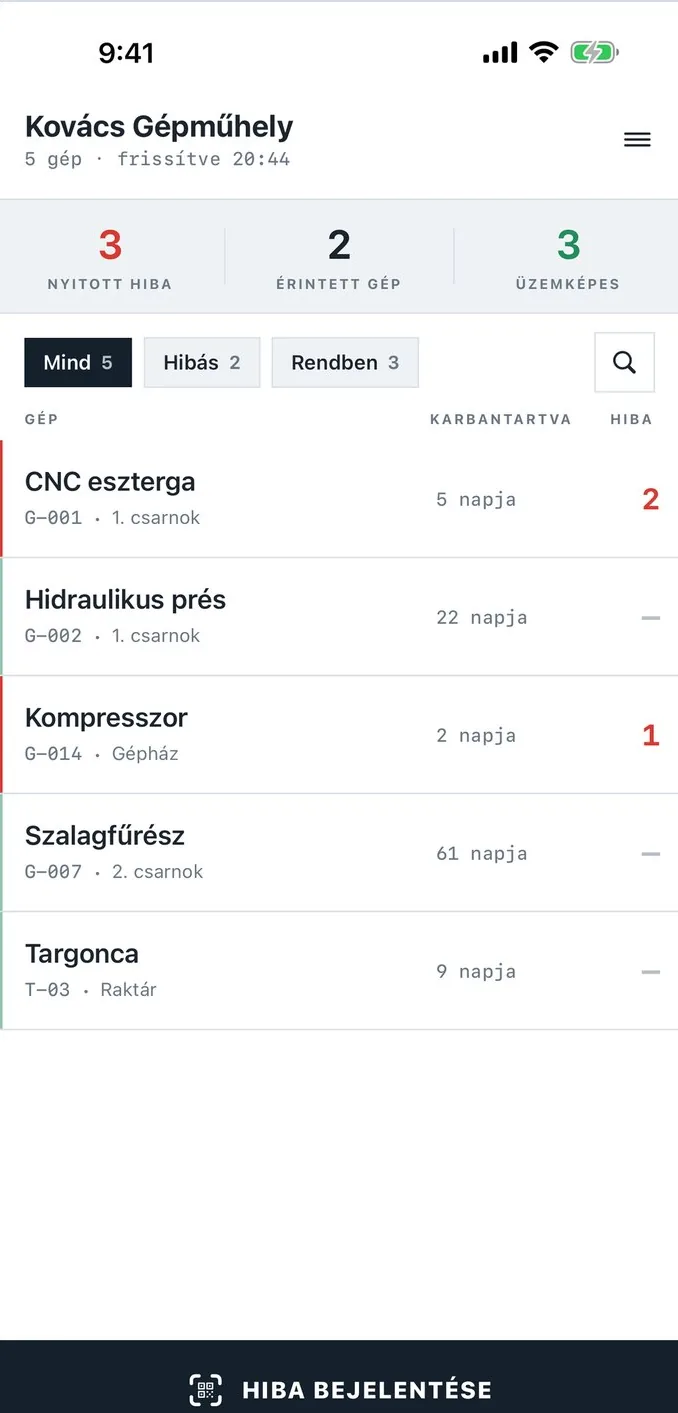
Overview
One glance, and you know what's down.
The home screen shows the number of open faults, the affected machines, and how many are operational. Faulty machines are red, machines that are fine are green.
- Filter: all machines, only faulty ones, only fine ones
- Search by name, asset number, or location
- See at a glance when it was last serviced
Reporting
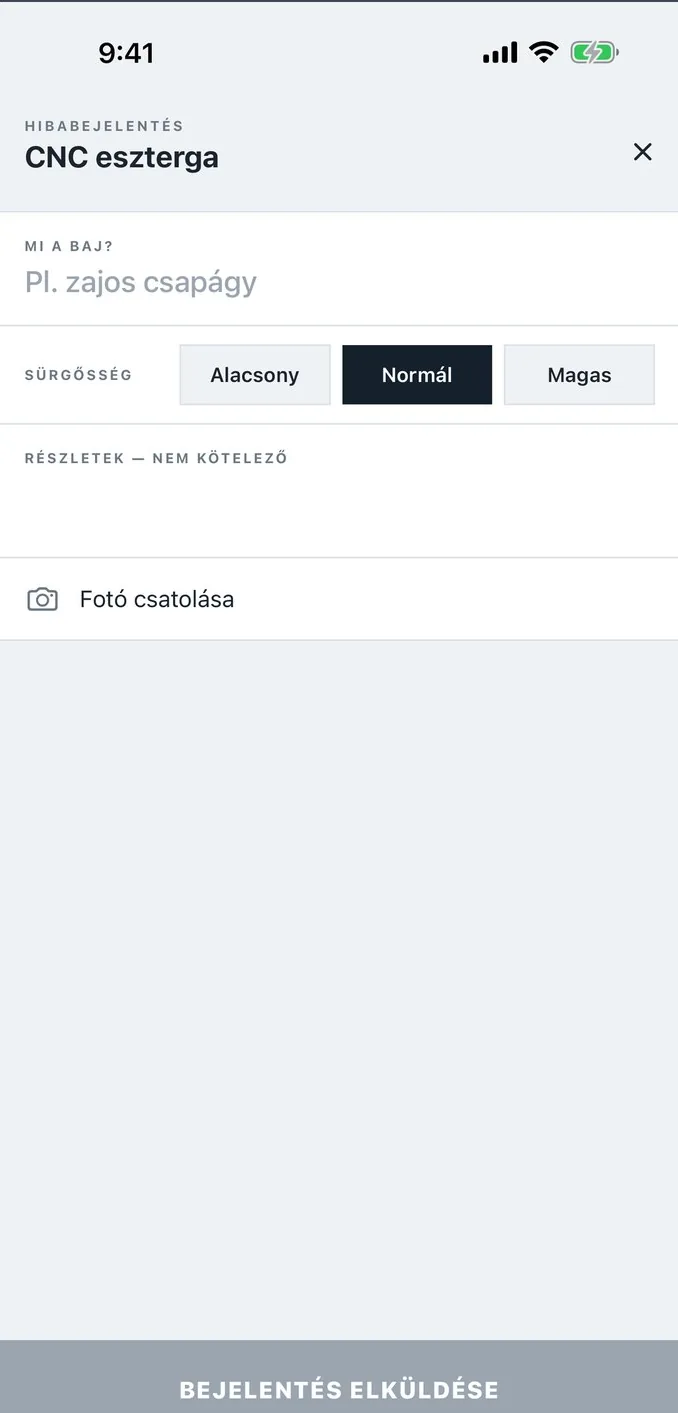
A fault report in twenty seconds.
Scanning the code opens the machine's page directly. The mechanic writes what's wrong in one line, sets the urgency, and attaches a photo if needed.
- Push notification to maintainers for every new fault
- Urgency: low, normal, high
- Photo straight from the camera
History
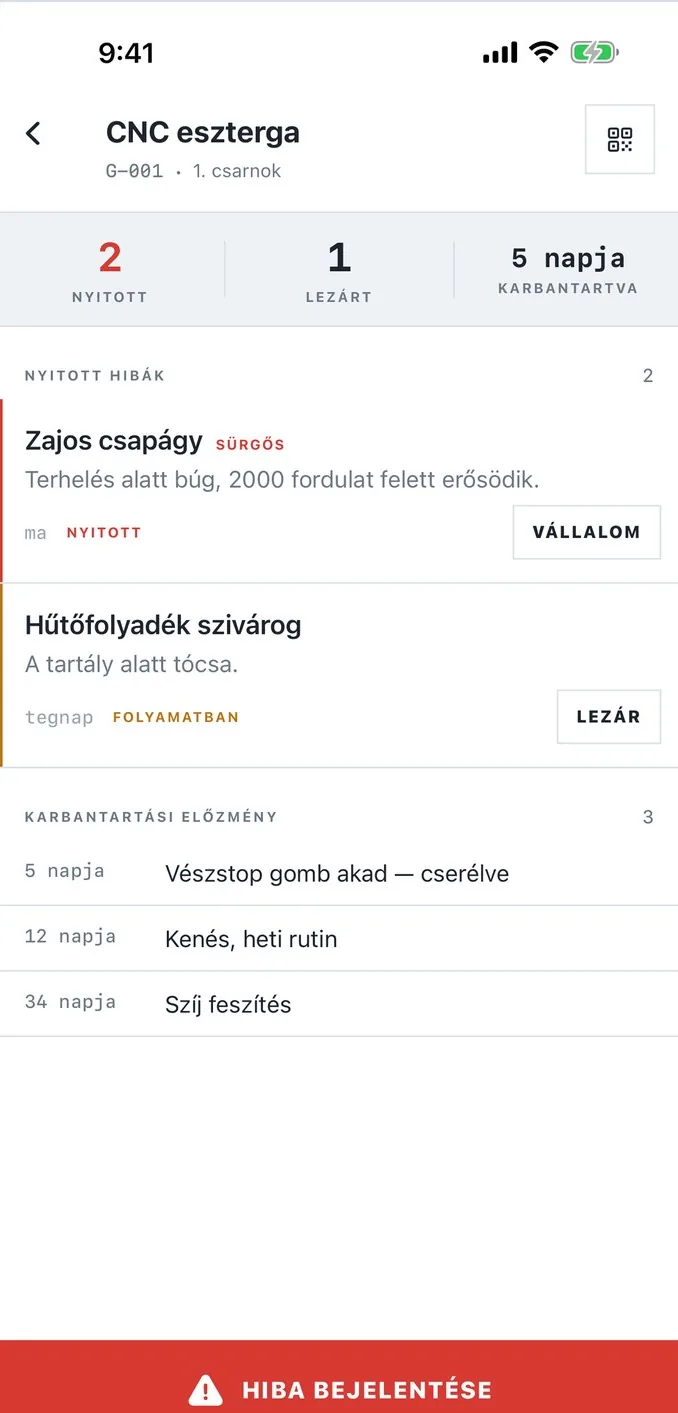
The full history of every machine.
Who fixed what, and when — going back years. When a fault ticket is closed, the repair is added to the machine's maintenance log automatically.
- Open, in-progress, and closed faults in one place
- An “I'll take it” button so everyone can see who's on it
Team
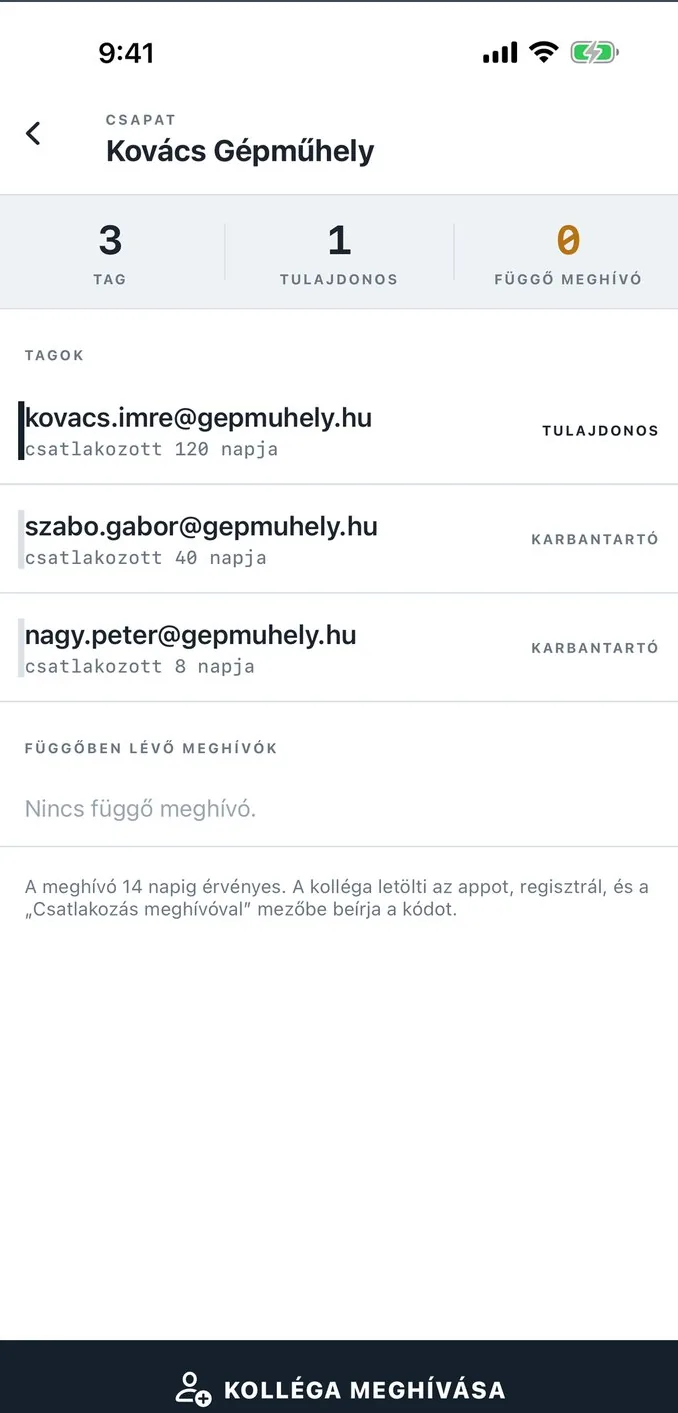
Colleagues join with a single code.
Send an invite by email: your colleague downloads the app, enters the code, and they're in your company. You decide who's an owner and who's a maintainer.
The QR label
Scan = report.
If the mechanic doesn't have the app yet, the code still doesn't lead to a blank screen: a web page tells them which machine it is and where to download the app.
Download on the App StoreTry it: scan it with your phone's camera.
Plans
Free for up to five machines.
The free plan isn't a stripped-down trial: a two-person workshop with five machines can run on it indefinitely. We never limit fault reporting.
- Up to 5 machines
- Up to 3 users
- Unlimited fault tickets and photos
- Full maintenance history
- Push notifications, QR label printing
- Monthly or yearly subscription
- Everything in Free
- Cancel anytime, your data stays
One subscription per company, through the App Store.
FAQ
What most people ask.
What happens if the mechanic doesn't have the app?
The QR code points to a web page that tells them which machine it is and where to download the app. They won't see a blank screen.
Where is my data stored?
In the European Union, on servers in Frankfurt. Every company can only see its own data — that's enforced by the database itself, not just the app.
What happens to my data if I cancel my subscription?
It stays, and remains readable. The free plan's limits only affect adding new machines and new users, not your existing history.
Do I need internet in the workshop?
Yes, it's needed to report a fault. Mobile data is enough — the app uses very little.
Get started this afternoon.
Download on the App StoreFree for up to 5 machines, no time limit. For iPhone, iOS 17 or later.